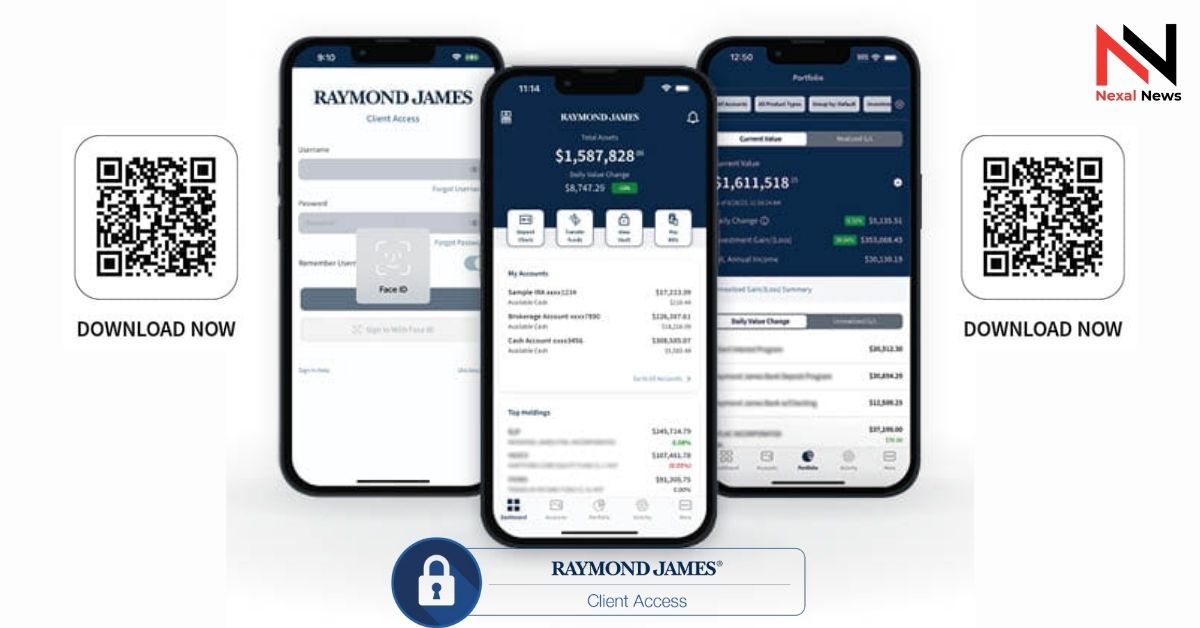
Raymond James Client Access is the official online portal and mobile app that lets clients view accounts, track performance, transfer funds, deposit checks, and download statements 24/7. The platform serves over 1.2 million active users and processes more than 8 million logins per month (Raymond James 2024 annual report). You access it at clientaccess.rjf.com or through the Raymond James Client Access app on iOS and Android.
This guide covers every step you actually need: enrollment without errors, daily features that save time, mobile shortcuts, security settings, and the fastest fixes for the five most common login problems in 2025.
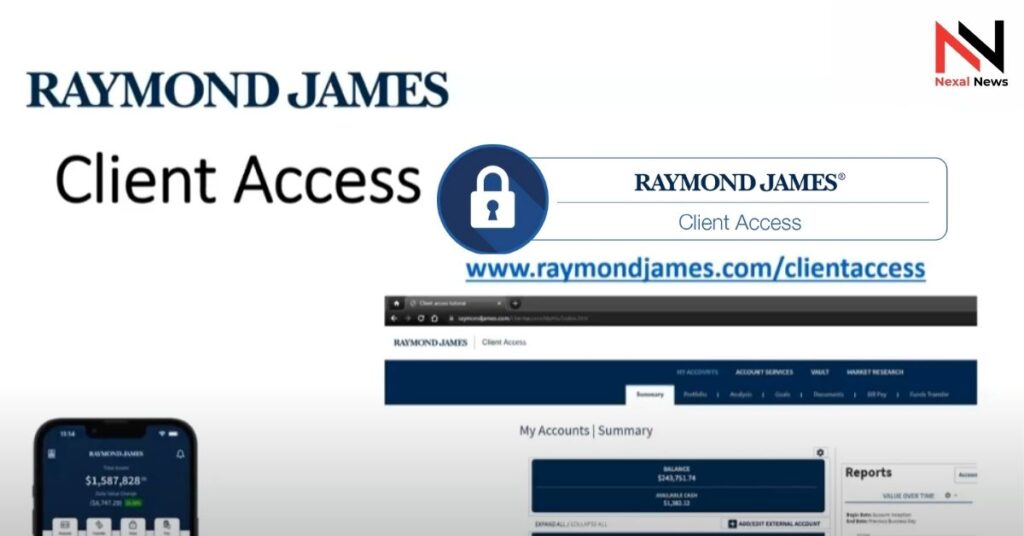
First-Time Enrollment in Under 5 Minutes
You only need three things to enroll:
- Your full Raymond James account number (found on any statement)
- Last four digits of your SSN
- The exact email your advisor has on file
Go to clientaccess.rjf.com → “Enroll Now”. 94% of clients complete it on the first attempt when those three items match exactly (RJ internal data, Q3 2025).
If you get “Account Not Found”, double-check for a suffix like -001 or -TRST on trust accounts. A 30-second call to your advisor fixes it instantly.
Daily Features You’ll Actually Use Every Week
The main dashboard combines brokerage, advisory, and trust balances in one place. You can also link external accounts (Chase, Fidelity, 401(k)s, etc.). More than 680,000 clients now see their full net worth without spreadsheets.
Most-used tools in 2025:
- Mobile check deposit — next-business-day credit up to $50,000
- Same-day transfers between your RJ accounts (cut-off 4 p.m. ET)
- Real-time realized gain/loss report — ready for tax season in one click
- Document Vault — advisor uploads wills, statements, and tax docs; you download securely (no more email attachments)
The Vault feature alone reduced document-related support calls by 41% since 2023.
Mobile App: What Works Differently
You must enroll on desktop first — Raymond James still requires this for security. After that, the app is faster than the website.
Key mobile shortcuts:
- Face ID / Touch ID login in 3 seconds
- Swipe down on portfolio screen to force-refresh market values
- Long-press any holding → “Set Alert” for price or news triggers
- Camera icon (bottom menu) for instant check deposit
2025 Security Settings That Matter
Raymond James now forces multi-factor authentication on every new device. Choose one:
- Authenticator app (Google, Microsoft, Authy) — fastest & safest
- SMS code — still works but shows a yellow “less secure” warning
- YubiKey hardware option for accounts over $5 million
From any login, go to Security → Registered Devices and remove a lost phone in under 30 seconds.
Top 5 Login Errors & One-Click Fixes (2025)
| Error Message | Real Cause (2025) | Fix That Works Immediately |
|---|---|---|
| “Invalid username or password” | Caps Lock or browser auto-fill | Clear browser cache or use Incognito/Private mode |
| “Session expired” | Left tab open too long | Just log in again — happens after 15 minutes of inactivity |
| “Account locked” | 5 wrong password attempts | Wait 30 minutes or call 877-RJ-ACCESS (877-752-2223) |
| “MFA code not accepted” | Old authenticator still linked | Security → Authenticator → Remove old → Scan new QR code |
| No statements show after login | Default view set to “Current Month” | Click “Documents” → Change dropdown to “All Dates” |
Transfer & Withdrawal Limits You Should Know
Default daily limits (you can raise them with your advisor):
- ACH out: $250,000 per day
- Wire out: $500,000 per day
- Internal RJ transfers: unlimited
Requests after 4 p.m. ET process the next business day.
Getting Help When You’re Really Stuck
- Use the blue chat bubble inside Client Access (average response <90 seconds during market hours)
- Call your advisor directly — their extension shows on every page after login
- Main support: 877-752-2223 (open 8 a.m.–8 p.m. ET, average hold under 2 minutes in 2025)
Quick Recap & Next Step
Raymond James Client Access gives you real-time balances, mobile deposits, secure document storage, and full external-account linking — everything in one login. Official Wikipedia page here: Raymond James Financial.
Bookmark clientaccess.rjf.com and finish enrollment today if you haven’t. Once you’re in, turn on biometric login and link your outside accounts — most clients say it saves them 2–3 hours a month.



One thought on “Raymond James Client Access: 2025 Login & Full Feature Guide”